You've received an invoice approval email but can't get into the Portal to approve. Work through these steps.
Use the link, then log in
The approval email contains a Login link. It takes you to the Portal sign-in. You still log in with your StrataMax Portal email and password. The link doesn't log you in automatically.
Forgot your password, or it isn't accepted
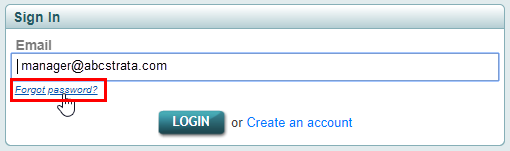
- On the StrataMax Portal login page, click Forgot password.
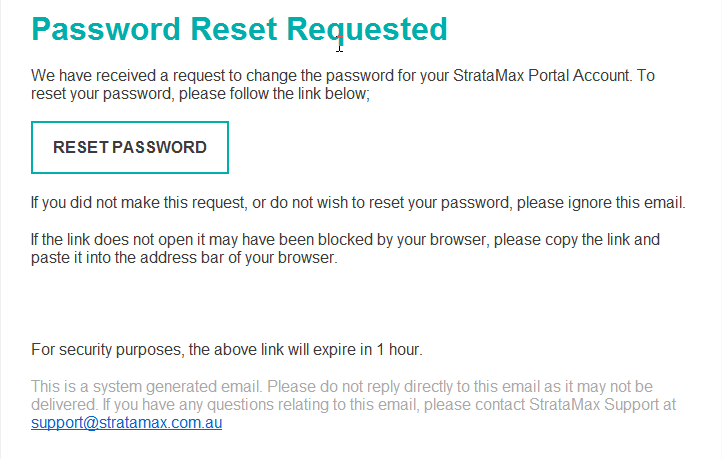
- Enter the email your account uses and follow the prompts.
- Set a new password and log in.
Locked out
For security, your account is temporarily blocked after 5 failed login attempts. If you've had several failed tries, reset your password (above), wait a few minutes, then try again with the new password.
Use the right email
Your approver access is tied to the exact email address your strata manager holds for you. If you log in with a different email, you won't see the invoices or the hub. If you're unsure which email is on file, ask your strata manager.
'New IP Address Detected' security alerts
Getting this alert when you log in is normal, as your connection's IP address can change regularly, and it doesn't affect approving invoices. See 'New IP Address Detected' Security Alert Email.
Still stuck?
- See StrataMax Portal Login Troubleshooting.
- If you can't reset because you've lost access to your email address, contact StrataMax Support — they can help, and in some cases your manager can arrange a temporary email for approval.
- If the hub still doesn't appear once you're logged in, see Why Can't I See the Invoice Hub?