Short answers to the questions approvers ask most.
Viewing and downloading an invoice
- To view the original invoice, click the document icon on the invoice line on the far right and it will open in a new tab. Allow pop-ups, or use the download option to save a copy.

- If the document icon isn't active, your manager hasn't attached a viewable copy, please contact them for one if required.
- To check a creditor's recent invoices (useful when a possible duplicate is flagged), click the creditor invoice history icon on the far rigth to see the last few.


Finding past (approved) invoices
Switch the view to All and the approved invoices appear with a tick. The hub shows the current and previous financial year; older history may not be available, please see What's New in the Invoice Hub (2026 Update).
Financial statements and reports
The Invoice Hub is for approving invoices, not for statements. For financial statements, levy or owner statements, or committee reports, use the relevant area of the Portal or ask your strata manager as they control what reports are shared with owners and committee members.
Not receiving Invoice Hub emails?
- In the Invoice Hub Settings, check that Receive Email Notifications is turned on.
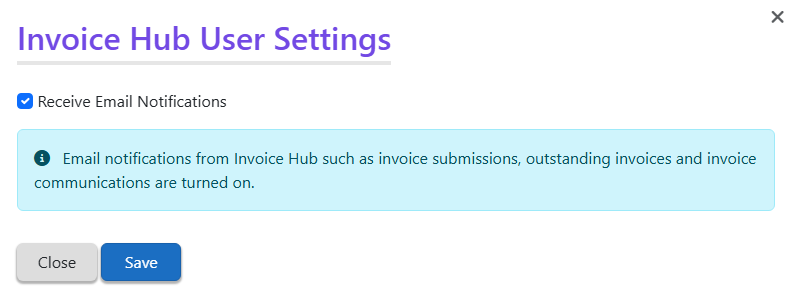
- Add no-reply@stratamax.com to your email Safe Senders/whitelist so notifications aren't filtered to junk. See Not Receiving StrataMax Portal Emails.
- Travelling overseas doesn't stop notifications.
Approved the wrong invoice, or raised a query by mistake?
- You can't undo an approval yourself. Please contact your strata manager to make adjustments or stop a payment.
- Queries can't be deleted. Please raise another query noting that it was a mistake.
Who do I contact?
- StrataMax Support - Portal login/account and technical issues with the hub.
- Your strata manager (body corporate manager) - approver setup, invoice/document availability, expense codes, stopping a payment, financial reports and statements.
- StrataPay - paying your own levies (not related to approving invoices).
See Who Do I Contact? (StrataMax, Your Strata Manager, or StrataPay). For the full step-by-step on approving, see Invoice Hub Approver Instructions.